Applied System
AI Copilot Training
Overiew
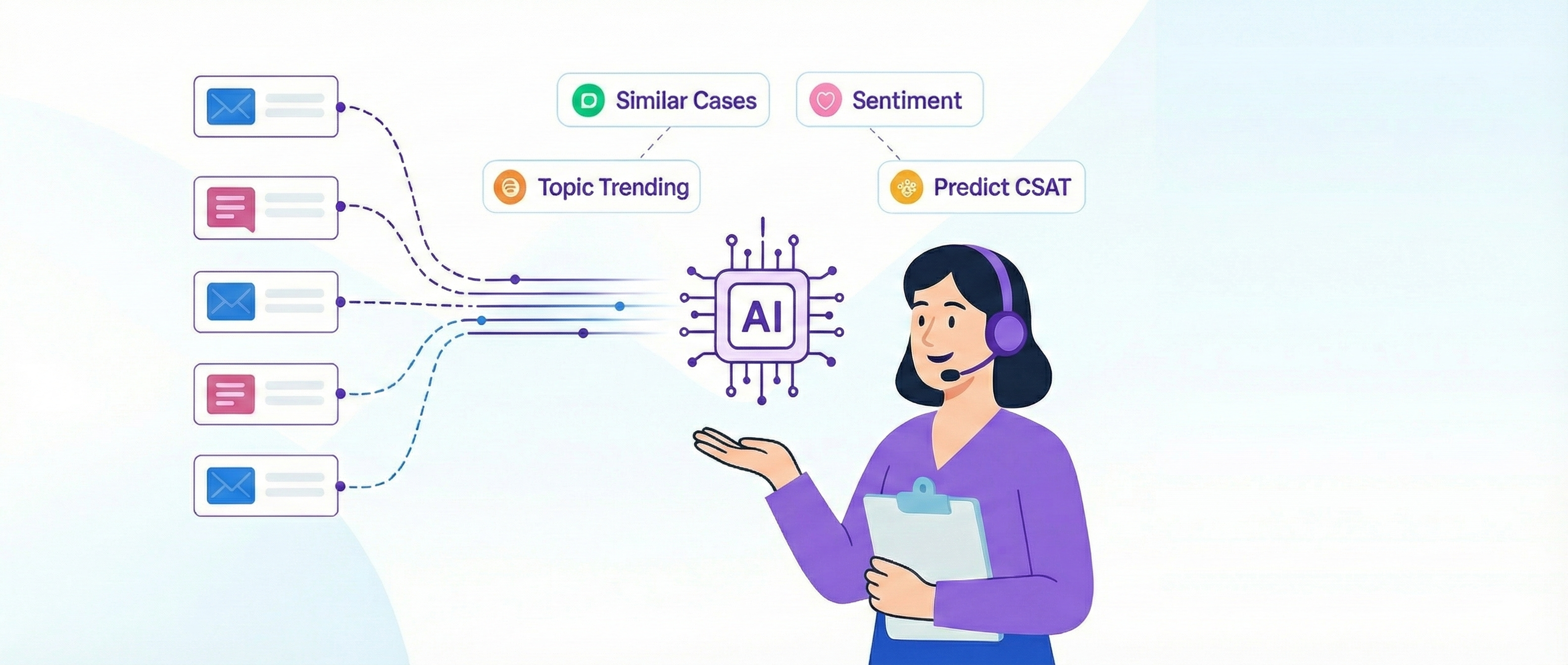
The company was investing in AI tooling, but support specialists weren’t using it with confidence. Adoption lagged, not because the tools were weak, but because the people meant to use them didn’t trust the outputs or know how to integrate them into real work. Tools only create value when specialists understand how to collaborate with them.
I designed an AI copilot training program that acted as an onboarding layer for the tooling itself. The focus was practical skill building: how the model thinks, where it performs reliably, when to override it, and how to prompt in a way that actually reduces effort instead of adding work. I used real examples from active tickets and provided ready-to-use prompting patterns specialists could copy, test, and adapt.
As comfort increased, usage patterns improved, prompts became sharper, and the support org finally started realizing the value of its AI investments.
Purpose
Equip specialists with the skills and confidence to co-create with AI instead of treating it as an opaque tool to be avoided or worked around.
System Architecture
1. Inputs
- Existing AI tooling
- Common specialist hesitations
- Real ticket scenarios
- High-friction workflows
- Prompts with inconsistent outcomes
2. Training Design
- Mental models for how the copilot processes information
- Reliability boundaries and red-flag states
- Practical prompting frameworks
- Override and refinement techniques
- Hands-on examples pulled from real cases
3. Outcomes
- Increased trust and comfort
- Higher-quality prompts
- More consistent usage across the team
- Faster integration of AI into daily workflows
Patterns Identified
- Specialists avoid tools they do not understand
- Trust increases when people see why an AI behaves a certain way
- Concrete examples outperform documentation
- Adoption requires role-specific prompting patterns, not generic advice
- Co-creation beats compliance when integrating AI into human workflows
Impact
- Higher adoption of AI tools across the support org
- More consistent and effective prompting
- Measurable increase in usage quality and output clarity
- Specialists shifted from tool resistance to active collaboration
- Organizational investments in AI finally delivered operational value
Applied System
AI Copilot Training
Overiew
The company was investing in AI tooling, but support specialists weren’t using it with confidence. Adoption lagged, not because the tools were weak, but because the people meant to use them didn’t trust the outputs or know how to integrate them into real work. Tools only create value when specialists understand how to collaborate with them.
I designed an AI copilot training program that acted as an onboarding layer for the tooling itself. The focus was practical skill building: how the model thinks, where it performs reliably, when to override it, and how to prompt in a way that actually reduces effort instead of adding work. I used real examples from active tickets and provided ready-to-use prompting patterns specialists could copy, test, and adapt.
As comfort increased, usage patterns improved, prompts became sharper, and the support org finally started realizing the value of its AI investments.
Purpose
Equip specialists with the skills and confidence to co-create with AI instead of treating it as an opaque tool to be avoided or worked around.
System Architecture
1. Inputs
- Existing AI tooling
- Common specialist hesitations
- Real ticket scenarios
- High-friction workflows
- Prompts with inconsistent outcomes
2. Training Design
- Mental models for how the copilot processes information
- Reliability boundaries and red-flag states
- Practical prompting frameworks
- Override and refinement techniques
- Hands-on examples pulled from real cases
3. Outcomes
- Increased trust and comfort
- Higher-quality prompts
- More consistent usage across the team
- Faster integration of AI into daily workflows
Patterns Identified
- Specialists avoid tools they do not understand
- Trust increases when people see why an AI behaves a certain way
- Concrete examples outperform documentation
- Adoption requires role-specific prompting patterns, not generic advice
- Co-creation beats compliance when integrating AI into human workflows
Impact
- Higher adoption of AI tools across the support org
- More consistent and effective prompting
- Measurable increase in usage quality and output clarity
- Specialists shifted from tool resistance to active collaboration
- Organizational investments in AI finally delivered operational value
Applied System
AI Copilot Training
Overiew
The company was investing in AI tooling, but support specialists weren’t using it with confidence. Adoption lagged, not because the tools were weak, but because the people meant to use them didn’t trust the outputs or know how to integrate them into real work. Tools only create value when specialists understand how to collaborate with them.
I designed an AI copilot training program that acted as an onboarding layer for the tooling itself. The focus was practical skill building: how the model thinks, where it performs reliably, when to override it, and how to prompt in a way that actually reduces effort instead of adding work. I used real examples from active tickets and provided ready-to-use prompting patterns specialists could copy, test, and adapt.
As comfort increased, usage patterns improved, prompts became sharper, and the support org finally started realizing the value of its AI investments.
Purpose
Equip specialists with the skills and confidence to co-create with AI instead of treating it as an opaque tool to be avoided or worked around.
System Architecture
1. Inputs
- Existing AI tooling
- Common specialist hesitations
- Real ticket scenarios
- High-friction workflows
- Prompts with inconsistent outcomes
2. Training Design
- Mental models for how the copilot processes information
- Reliability boundaries and red-flag states
- Practical prompting frameworks
- Override and refinement techniques
- Hands-on examples pulled from real cases
3. Outcomes
- Increased trust and comfort
- Higher-quality prompts
- More consistent usage across the team
- Faster integration of AI into daily workflows
Patterns Identified
- Specialists avoid tools they do not understand
- Trust increases when people see why an AI behaves a certain way
- Concrete examples outperform documentation
- Adoption requires role-specific prompting patterns, not generic advice
- Co-creation beats compliance when integrating AI into human workflows
Impact
- Higher adoption of AI tools across the support org
- More consistent and effective prompting
- Measurable increase in usage quality and output clarity
- Specialists shifted from tool resistance to active collaboration
- Organizational investments in AI finally delivered operational value